Passepartout N-Panel Slider
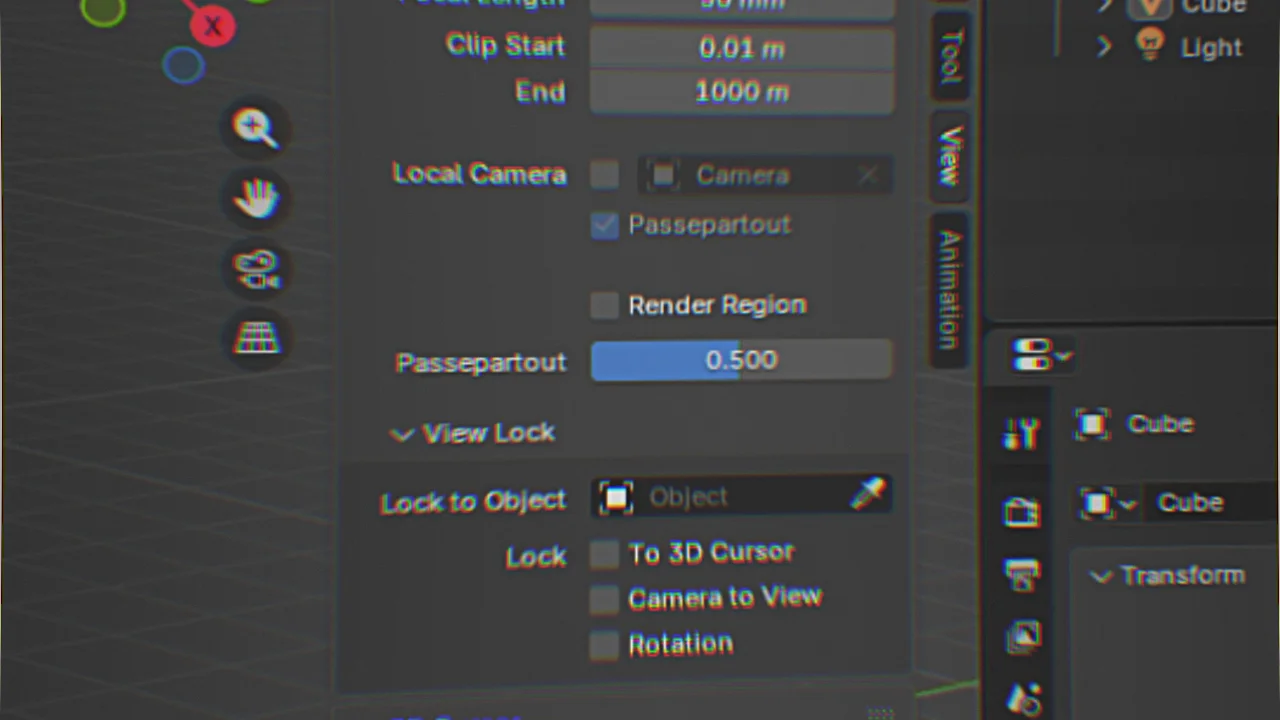
Add a Passepartout Slider in the N-Panel
Here a little start-up script that'll add a passepartout slider to the N-panel in the 3d view workspace. This is a lot faster than digging through menus and finally realizing its part of the camera options. Save yourself time.
You CAN paste this into the text editor in Blender and hit the run button. But a better method is to add it directly to the start-up folder of Blender and it'll automatically run this script on every time you start Blender. You Can find that here:
%APPDATA%\Blender Foundation\Blender\<blender version>\scripts\startup\
You might need to create the scripts and startup folder yourself.
You'll need to paste this text into a text editor. Notepad is fine. Or Visual Code Studio. You then save the file and change the file extension to ".py". Put the file in the above mentioned folder and Bob's your uncle.
For the sake of transparency, this was made entirely with ChatGPT. I DO NOT HOW TO CODE.
Or skip copy and pasting and just download the .py file below.